Innowell Halaxy Integration

Halaxy in, reports out.

Innowell assessment reports filed to your clients’ Halaxy records

Innowell’s Halaxy integration connects measurement-based care to the practice management software your practice already runs on. Search Halaxy for a client from Innowell’s invite screen and the contact details Halaxy holds fill in automatically. When they complete an assessment, the report is filed to their Halaxy record.

Talk to us about
Meet Halaxy

Practice management for health practitioners.

Halaxy is practice management software founded in Melbourne in 2012. More than 40,000 health practitioners across 90+ professions and 70+ countries use it to manage appointments and online bookings, patient records, telehealth, and clinical invoicing and payments in one place.

Through our integration, clinicians bring measurement-based care into the system they already use to run their practice. Client details carry over from Halaxy, and completed assessment reports are filed straight back to the client’s Halaxy record.

Appointments & bookings Patient records Telehealth Clinical invoicing & payments

& Innowell

Find a client in Halaxy

Given name: Alex

Family name: Morgan

Date of birth: 14 / 05 / 1990

Alex Morgan

14 May 1990 · Matching record

Select

Staff search Halaxy by name and date of birth, then select the matching record. Email and mobile fill in from Halaxy.

Completed Innowell assessment → Halaxy

Initial questionnaire.pdf

Filed as a clinical note on Alex’s Halaxy record

Illustrative workflow · Example client details

How it works

Innowell + Halaxy. One seamless workflow.

Connecting Halaxy is a one-off step: a practice admin completes it once for the organisation, then links each clinician to their Halaxy practitioner. Clinicians don’t need a separate login for it. Completed assessment reports are filed to the client’s Halaxy record as a clinical note under their linked clinician, with the full report attached as a PDF.

1

Practice admin · One-off setup

Create a Client ID and Secret in Halaxy

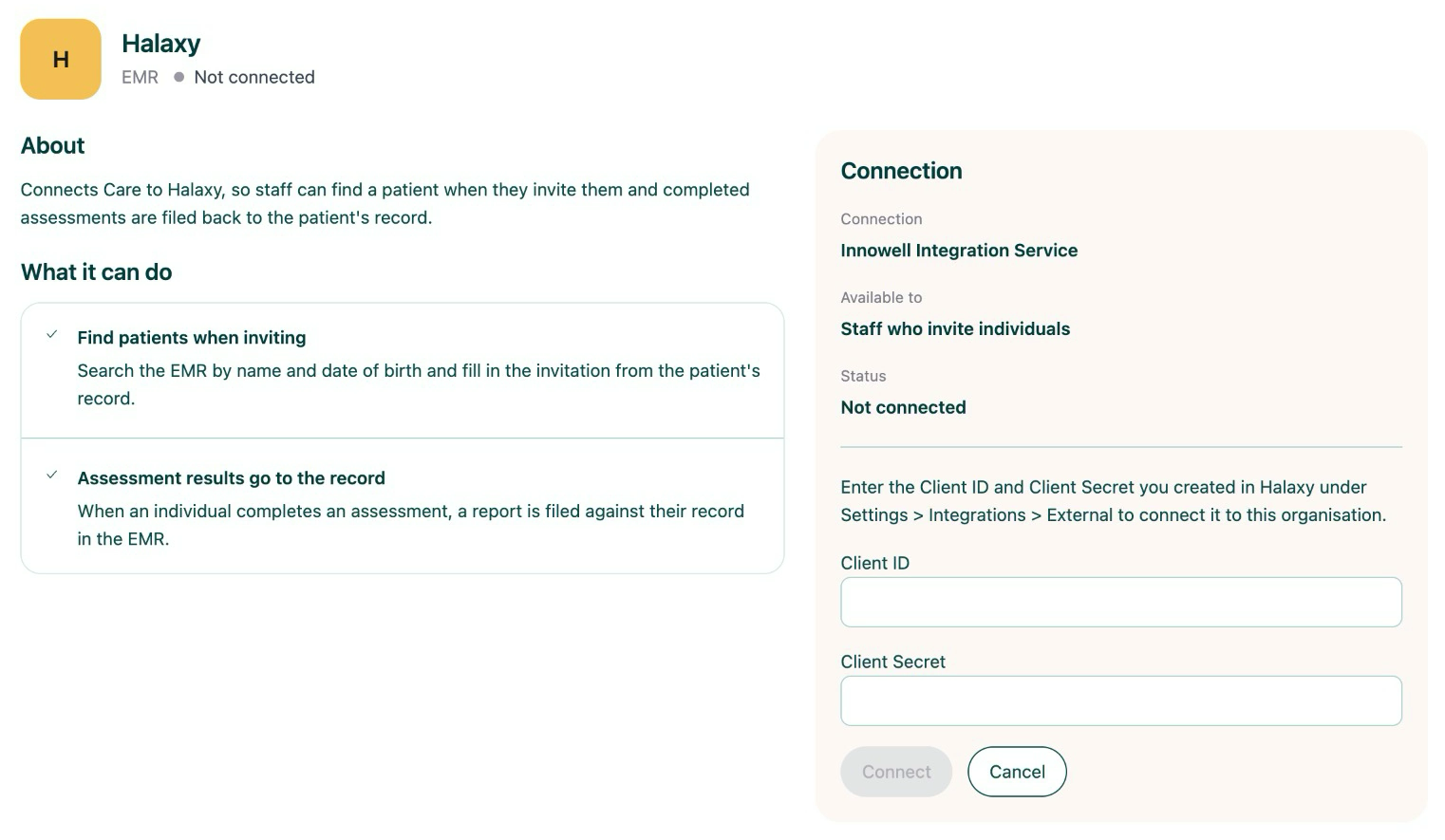
Your practice admin creates a Client ID and Client Secret in Halaxy, under Settings > Integrations > External.

2

Practice admin · Once per organisation

Connect and link in Innowell

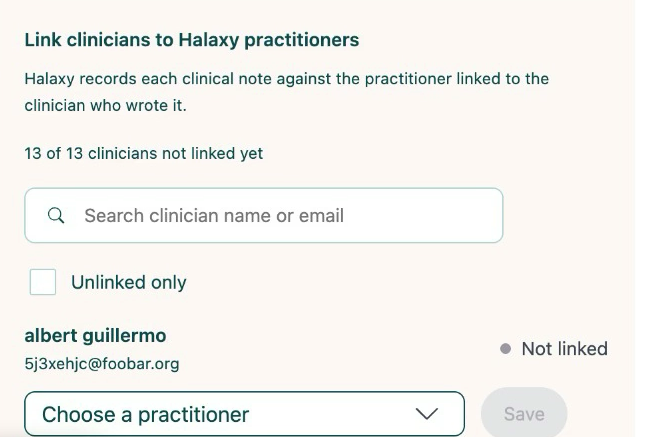
The admin enters the Client ID and Client Secret on Innowell’s Integrations page and connects, then links each clinician to their Halaxy practitioner.

3

Staff · Everyday use

Invite from Halaxy, report filed back

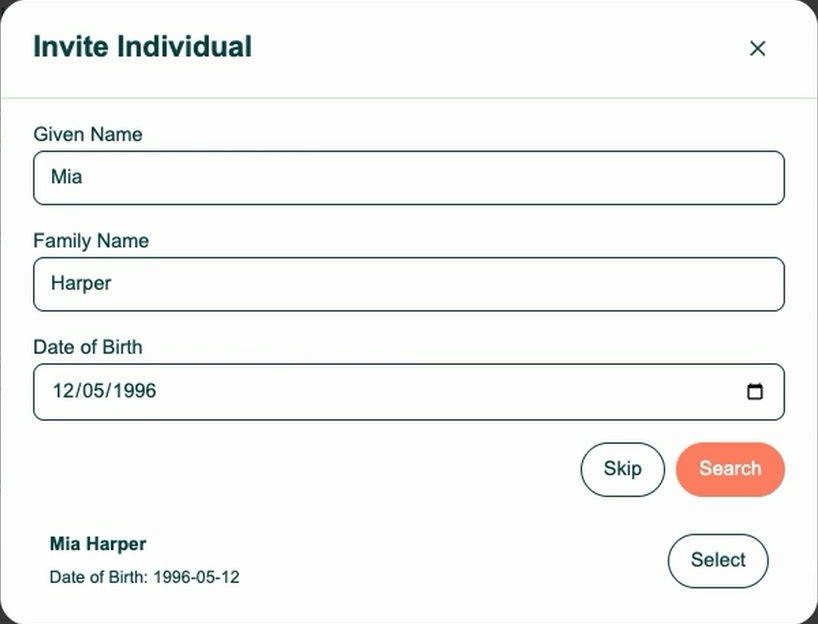
In Innowell, search Halaxy by name and date of birth, select the client, assign their clinician and send the invite. Once the client completes an assessment, the report is filed to their Halaxy record.

Innowell Integrations page for Halaxy, listing what the integration can do beside the Client ID and Client Secret fields and a Connect button
The Halaxy page under Integrations: enter the Client ID and Client Secret, then connect.
Link clinicians to Halaxy practitioners panel with a clinician search, an Unlinked only filter and a Choose a practitioner dropdown
Link each clinician to their Halaxy practitioner.
Innowell invite screen searching Halaxy by given name, family name and date of birth, with one matching record and a Select button
Search Halaxy from the invite screen and select the client.
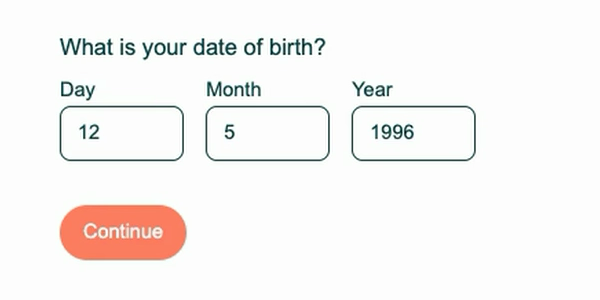
Client onboarding question asking for date of birth, already filled in
Where Halaxy holds it, the client’s date of birth is already filled in.
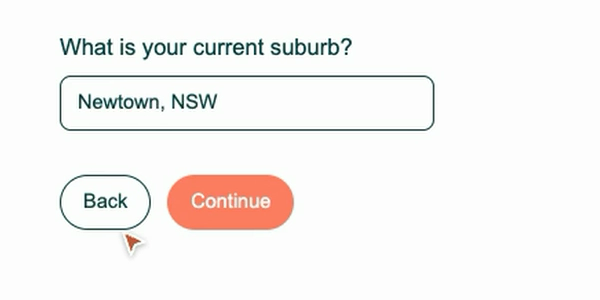
Client onboarding question asking for current suburb, already filled in
So is their suburb. The client can check or change it.
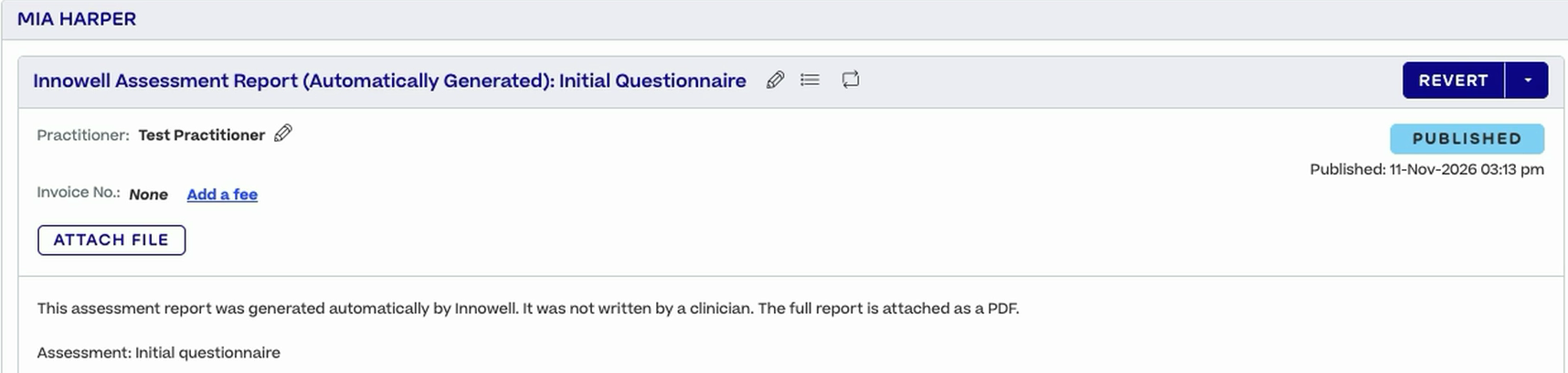
A published clinical note in Halaxy titled Innowell Assessment Report, filed under the linked practitioner
The report lands in Halaxy as a clinical note under the linked practitioner.
Workflow
Halaxy client detailsInnowellInnowell assessment reportsHalaxy
Integration demo
&

From client search
to a filed report.

Innowell & Halaxy · Integration walkthrough

Benefits

Better together.

The Innowell Halaxy integration is built for practices that already run on Halaxy. Your practice admin connects it once. From then on, staff invite clients from Halaxy without retyping their contact details, and completed reports for those clients are filed to their Halaxy record automatically.

Connect once

Your practice admin connects Halaxy once for the organisation and links each clinician to their Halaxy practitioner.

Less retyping

Staff find the client in Halaxy, and the email and mobile held there come across. Details such as date of birth, suburb and gender are filled in for the client to check or change when they start.

Reports filed automatically

When a client invited from Halaxy completes an assessment, a clinical note is added to their Halaxy record under their linked clinician, with the full report attached as a PDF.

Get started

Talk to us about Halaxy

Talk to our team about connecting Innowell and Halaxy for your practice. We’ll switch the integration on for your organisation, walk you through setup and answer your questions.

Suite 301, Level 3/309 George St,
Sydney NSW 2000
FAQ

Frequently asked questions

Yes. A practice admin creates a Client ID and Client Secret in Halaxy under Settings > Integrations > External, then enters them on Innowell’s Integrations page and connects. It’s a one-off step for the organisation.
No. Your practice admin connects Halaxy once, then links each clinician to their Halaxy practitioner from the same page. Clinicians don’t need their own separate login for it.
Halaxy records each clinical note against a practitioner. Linking tells Innowell which Halaxy practitioner to file a clinician’s reports under. A report is filed only when the client was invited or linked through the Halaxy search, and the clinician who requested the assessment, or a clinician assigned to the client, is linked. Otherwise nothing is sent to Halaxy, then or later. Link each clinician before their clients complete assessments, and link new clinicians as they join.
Not where Halaxy already holds them. When inviting a client, staff search Halaxy by given name, family name and date of birth and select the matching record. The client’s email and mobile fill in on the invite. Details such as date of birth, suburb and gender are filled in for the client to check or change during onboarding.
In the client’s clinical notes. Once a client invited from Halaxy completes an assessment, a clinical note is added to their Halaxy record under their linked clinician, with the full report attached as a PDF. There’s nothing to download, print or upload by hand.
Practices that use Halaxy as their practice management software and want Innowell assessment reports filed to the client records they already keep in Halaxy.