After a session: capturing details and managing discharge
Record context
After a session, you can add an event to capture useful context on the client’s Health Snapshot. When care with your service is complete, you can also discharge the client.
Add an event to capture context
After a session, you can add an event to capture useful details and context on the client’s Health Snapshot. When care with your service is complete, you can also discharge the client.
For example, you might use an event to note a recent appointment, a change in circumstances, or something that helps explain a change in the client’s Health Snapshot.
To add an event:
- Pick the date the event relates to.
- Add a short note describing what happened or what you observed.
- Save the event so it appears on the client’s timeline.
Events track the client’s journey in Innowell from the point they are added. They are for capturing context going forward, not for recording earlier history.
Currently, events are not visible to the client. They help your team add context to the Health Snapshot and support continuity of care.
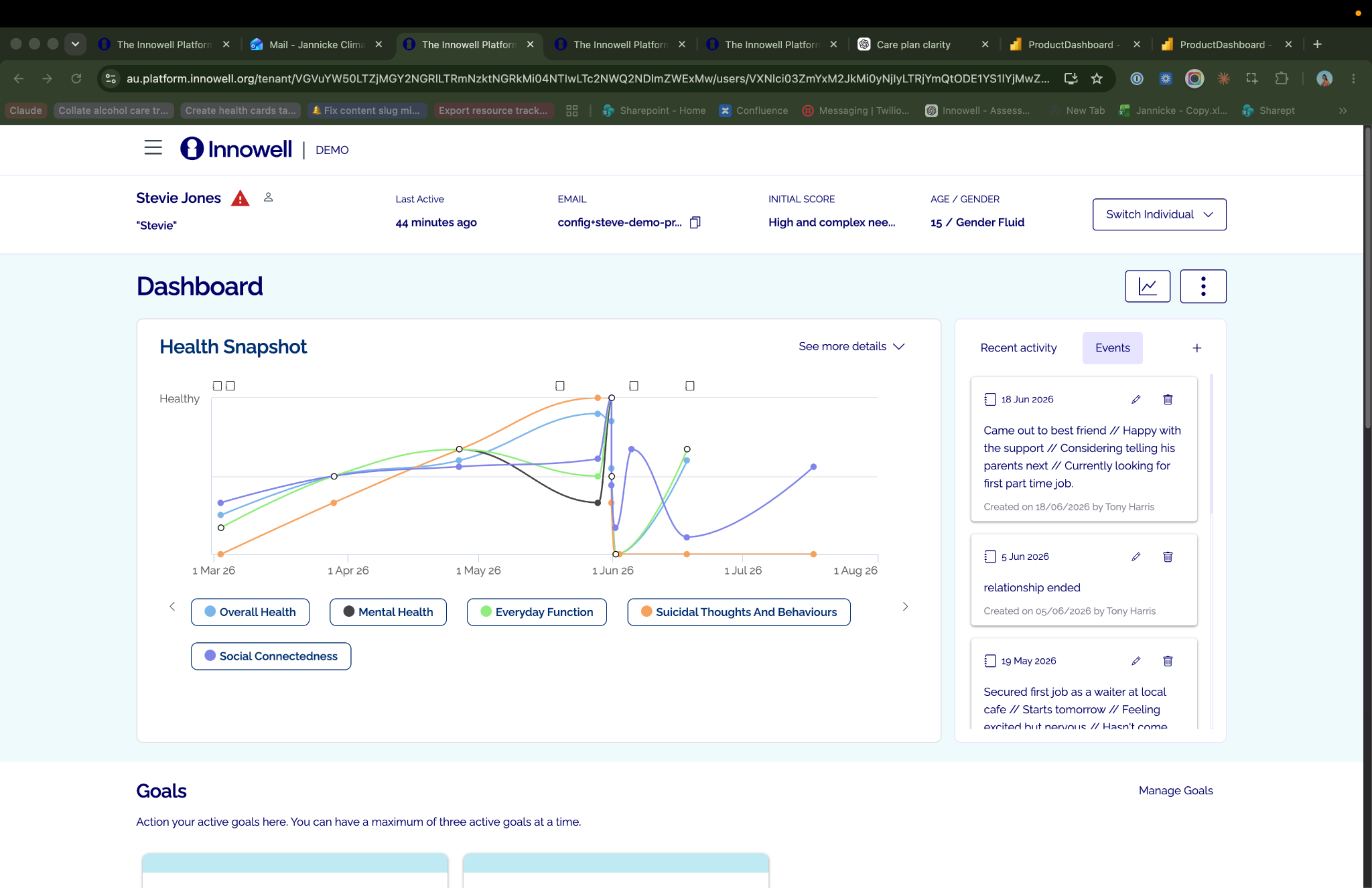
Events add context to the Health Snapshot, helping you and the team understand what was happening for the client at a point in time and support continuity of care.
Discharge a client
When care with your service is complete, you can discharge the client from your service in Innowell.
Discharge helps keep your client list current and makes it clear that the client is no longer receiving care through your service. It is an important final step that supports a clean, respectful end to the client’s journey with your team.
- Discharging a client from your service does not remove their Innowell account or their information. The client keeps their own access to Innowell, and their data remains theirs.
- Once discharged, the client will receive an email letting them know their access with your service has ended.
- Before discharging a client, follow your service’s usual discharge process or handover steps needed outside of Innowell.
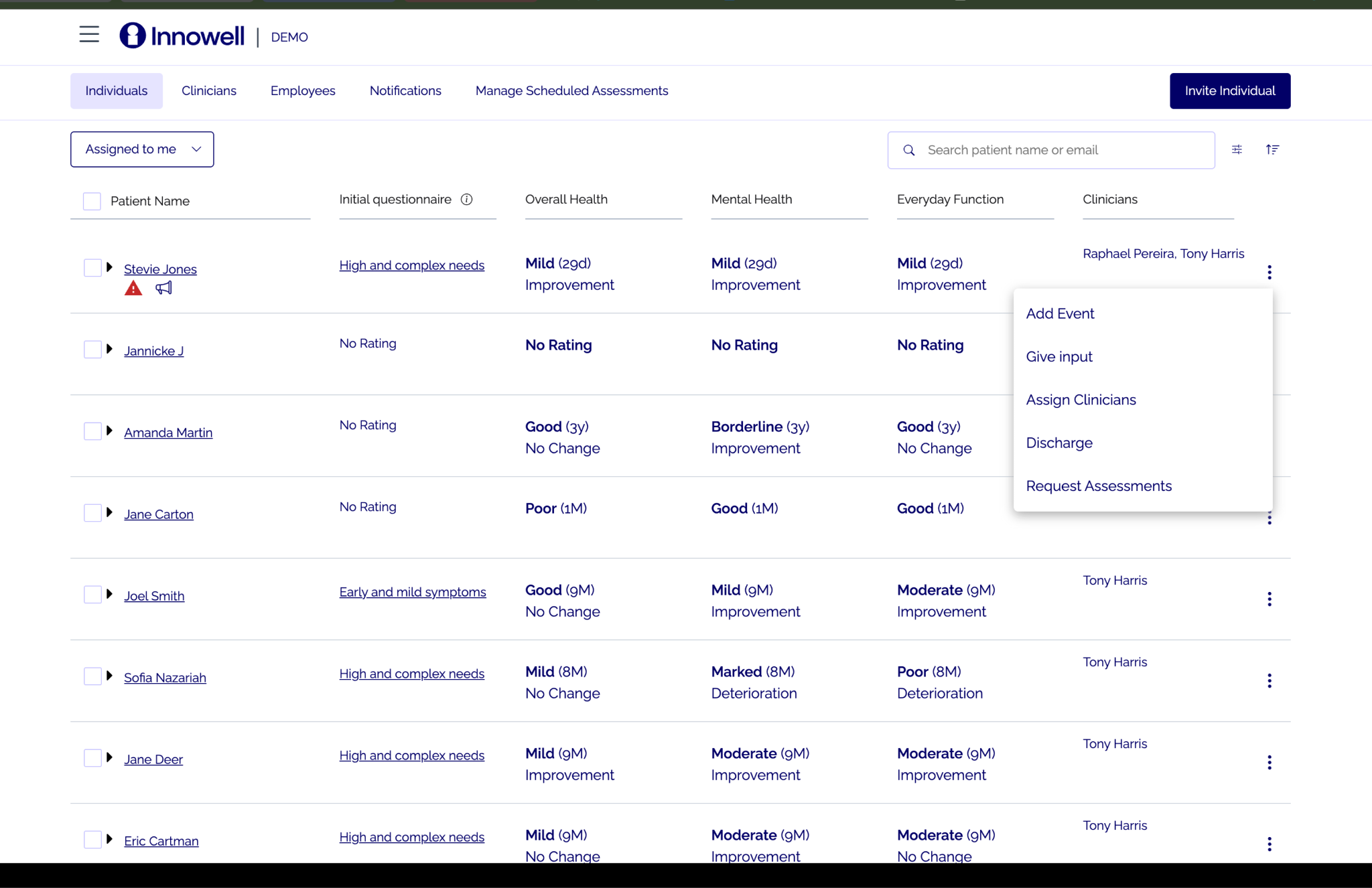
Discharging a client helps close their journey with your service in a clear way, while ensuring they keep their own access to Innowell.